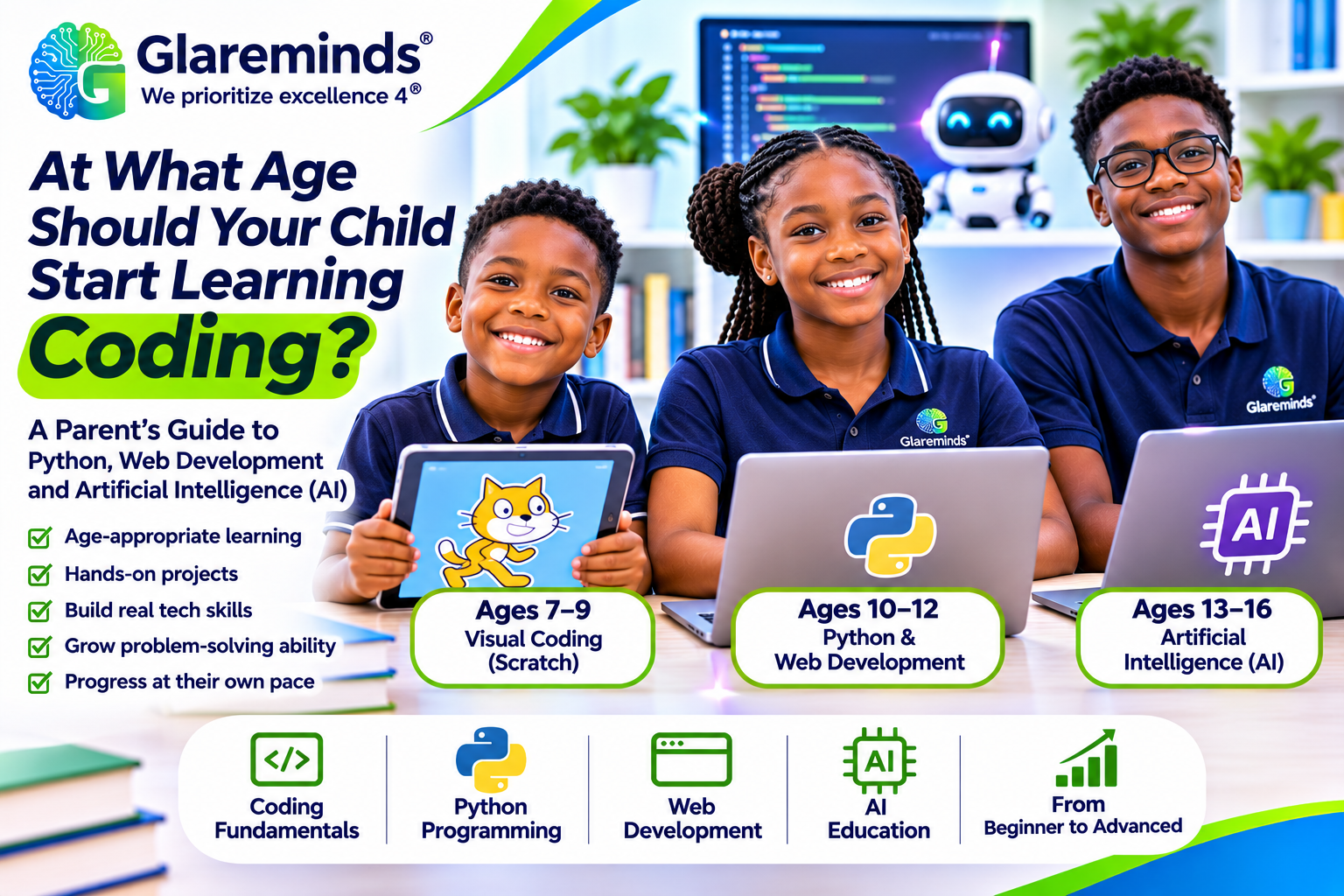
Is your child too young to learn programming? Should they start with Scratch, Python or artificial intelligence? Here is what parents need to know before choosing a technology learning pathway.
Technology is becoming an increasingly important part of education, business and everyday life.
Children interact with computers, smartphones, digital applications and artificial intelligence from an early age. Some are fascinated by computer games, others enjoy exploring websites, while many are curious about how applications and digital devices actually work.
Naturally, parents are beginning to ask an important question:
At what age should a child start learning coding, Python and artificial intelligence?
Some parents believe children should wait until secondary school. Others want their children to start programming as early as primary school.
The truth is that there is no single perfect age for every child.
A child's readiness depends on their interests, developmental stage, ability to follow instructions and the way technology concepts are introduced.
A young learner may begin exploring basic computational thinking through games and visual programming, while an older child may be ready to develop applications using Python or explore introductory artificial intelligence concepts.
The most important thing is to introduce the right skills at the right time.
At Glareminds, we believe technology education should be progressive, practical and appropriate for each learner's age and ability.
1. Can children really learn coding at a young age?
Yes. Children can begin learning basic programming concepts before they are old enough to understand traditional programming languages.
However, early coding education does not necessarily mean sitting a five-year-old in front of a computer and asking them to write Python code.
Young children can develop the foundations of programming through activities involving:
- Recognising patterns.
- Following instructions.
- Arranging steps in the correct order.
- Solving simple puzzles.
- Understanding cause and effect.
- Repeating actions.
- Identifying and correcting mistakes.
These activities introduce important ideas behind computer programming.
For example, a child who follows a sequence of instructions to move a character through a maze is practising logical thinking and sequencing.
As the child develops, these concepts can be introduced through interactive programming platforms and eventually through text-based programming languages.
The goal at an early age is not to produce professional programmers. It is to develop curiosity, logical reasoning and confidence with technology.
2. Ages 4–6: Introduce computational thinking through play
Children in this age group are generally better served by playful, visual and interactive activities than formal programming lessons.
The emphasis should be on developing basic thinking skills.
Suitable activities may include:
Sequencing games
Ask the child to arrange instructions in the correct order.
For example, what steps are required to brush their teeth, prepare a simple meal or move a character from one side of a screen to another?
Pattern recognition
Introduce activities involving shapes, colours, numbers and repeating sequences.
Simple problem-solving games
Use age-appropriate puzzles that require children to identify solutions through logical steps.
Basic robotics activities
Where suitable equipment is available, simple programmable toys can help children understand instructions and movement.
At this stage, learning should be short, interactive and enjoyable.
Parents should not worry about introducing complicated programming languages.
3. Ages 7–9: Introduce visual programming and simple projects
This can be a useful stage for introducing children to structured visual programming.
Platforms such as <Entity value="Scratch" category="software" disambig="Visual block-based programming environment for children"/> allow learners to create animations, interactive stories and simple games using programming blocks.
Instead of writing complicated instructions, children connect visual blocks to control what happens on the screen.
They can begin learning:
- Sequences.
- Events.
- Loops.
- Conditions.
- Basic variables.
- Simple debugging.
- Interactive storytelling.
For example, a learner can create a game in which a character moves when the keyboard is pressed.
They can then introduce conditions that determine what happens when the character touches an object.
A simple project might involve creating an interactive quiz with questions, answers and a score.
These activities help children understand that programming involves giving computers instructions and organising those instructions logically.
What should parents expect?
At this age, focus on exploration, creativity and understanding basic concepts rather than expecting children to master programming syntax.
4. Ages 10–12: Begin exploring more structured programming
Between approximately 10 and 12, many children may be ready to explore more structured technology learning.
Their reading, reasoning and mathematical abilities may allow them to understand programming concepts in greater detail.
This can be a suitable time to introduce:
- More advanced Scratch projects.
- Basic HTML and CSS.
- Introductory Python programming.
- Simple game development.
- Digital design.
- Basic website creation.
- Computational problem-solving.
For example, a learner can create a personal website using HTML and CSS.
They can also begin experimenting with Python through small projects.
A simple Python example is:
name = input("What is your name? ")

print("Welcome to coding, " + name)
The learner can explore how a computer receives information, stores it and displays a response.
Other suitable beginner projects include:
- Number-guessing games.
- Simple calculators.
- Mathematical quiz applications.
- Interactive stories.
- Basic text-based games.
The key is to ensure that projects are manageable and that children understand the instructions they are writing.
Some children may be ready earlier, while others may benefit from spending more time developing their foundational skills.
5. Ages 13–15: Develop Python, web development and practical technology skills
Early secondary school can be an excellent period for more structured programming education.
At this stage, many learners can begin developing practical projects using text-based programming languages.
Python programming
Python is a popular beginner-friendly programming language used in software development, automation, data analysis and artificial intelligence.
Students can explore:
- Variables and data types.
- Input and output.
- Conditions.
- Loops.
- Functions.
- Lists and dictionaries.
- Basic problem-solving algorithms.
- Simple applications.
Web development
Students can begin learning how websites are created using:
- HTML for webpage structure.
- CSS for presentation and design.
- JavaScript for interactivity.
A learner might build a personal portfolio, a simple school website or an interactive quiz.
Game development
Students interested in gaming can explore the logic behind game mechanics, scoring systems, movement and interaction.
Introduction to software engineering
They can also begin understanding how software projects are planned, developed, tested and improved.
At this stage, practical projects become particularly important.
Rather than completing exercises without context, students should have opportunities to build something they can demonstrate and explain.
6. Ages 13–16: Introduce artificial intelligence and machine-learning concepts
Artificial intelligence is attracting considerable attention, and many parents want their children to understand it.
However, there is an important distinction between using AI applications and learning how artificial intelligence works.
A child who asks an AI chatbot questions is using an AI-powered tool.
A child who explores how computers recognise patterns, classify information or make predictions is beginning to understand concepts behind artificial intelligence.
For secondary school learners, introductory AI education can include:
Understanding artificial intelligence
Students learn what AI is, where it is used and how it differs from ordinary computer programmes.
Understanding data
They explore how information is collected, organised and used by computer systems.
Pattern recognition
They learn how computers can identify patterns in images, text or other information.
Machine-learning demonstrations
Age-appropriate activities can introduce how a computer system learns patterns from examples.
Responsible AI use
Students should understand that AI systems can make mistakes, produce misleading information and reflect limitations in their training data.
They should also learn about privacy, online safety, copyright, academic integrity and the importance of checking information.
Python can eventually provide a foundation for more technical AI learning.
However, children do not need to begin with advanced machine-learning mathematics.
The learning pathway should develop progressively.
7. Should children learn Python before artificial intelligence?
Not necessarily, but learning programming fundamentals can make later AI education more meaningful.
Python is widely used in artificial intelligence development, making it a useful language for learners who eventually want to explore that area.
However, children can begin understanding AI concepts without first becoming Python programmers.
For example, a learner can explore how image classification works through a visual demonstration.
They can investigate how a recommendation system might use information to suggest videos or products.
They can also discuss why an AI system might produce an incorrect answer.
These activities introduce AI literacy without requiring advanced coding.
For children who want to progress into technical AI projects, Python becomes increasingly useful.
A sensible progression could be:
- Computational thinking and problem-solving.
- Basic programming concepts.
- Python fundamentals.
- Data handling and simple algorithms.
- Introductory artificial intelligence concepts.
- More advanced machine-learning projects when the learner is ready.
The sequence should remain flexible because children develop different interests and abilities.
8. What if my child is not particularly interested in coding?
Not every child will immediately enjoy programming.
Some are more interested in graphic design, animation, digital storytelling, robotics, video editing or website design.
These interests can still provide valuable opportunities to develop technology skills.
For example:
- A child who enjoys drawing may explore digital illustration.
- A child who enjoys stories may develop interactive digital stories.
- A learner who enjoys puzzles may discover an interest in programming logic.
- A child interested in computers may enjoy exploring how websites work.
- A learner who likes building things may become interested in robotics.
Parents should not force every child into the same technology pathway.
Allowing children to explore different areas can help them discover what they genuinely enjoy.
The objective is to develop digital confidence, creativity and problem-solving rather than make every child follow an identical programme.
9. Does a child need to be good at Mathematics before learning Python?
No. A child does not need advanced mathematical knowledge to begin learning Python.
Basic arithmetic, logical reasoning and the ability to follow instructions are sufficient for many introductory programming activities.
However, mathematics becomes increasingly important as programming becomes more advanced.
For example:
- Variables and calculations use arithmetic.
- Algorithms involve logical and mathematical thinking.
- Game development may involve coordinates, angles and geometry.
- Data analysis involves statistics.
- Artificial intelligence can involve probability, algebra and other mathematical concepts.
This is why a strong academic foundation can support long-term technology development.
Children should be encouraged to strengthen their Mathematics while exploring programming rather than treating the two subjects as unrelated.
10. How much time should children spend learning coding and AI?
The amount of time depends on the child's age, interests and other responsibilities.
Young children generally benefit from shorter, interactive activities.
Older learners may be able to concentrate on longer project-based sessions.
Parents should avoid creating a technology schedule that interferes with:
- Schoolwork.
- Sleep.
- Physical activity.
- Family interaction.
- Outdoor play.
- Other interests and hobbies.
A balanced approach is more sustainable.
For example, a child might have a few structured technology learning sessions each week, with additional time to explore projects independently when appropriate.
The emphasis should be on consistent learning and meaningful progress rather than accumulating hours in front of a screen.
11. How can parents identify a good coding or AI programme for children?
Choosing a technology programme requires more than looking at the number of programming languages advertised.
Parents should consider the following:
Age appropriateness
Does the programme match the child's reading ability, interests and developmental stage?
Practical learning
Will the child create projects or spend most of the time watching demonstrations?
Progressive teaching
Does the programme move from basic concepts to more advanced skills in a logical sequence?
Individual attention
Can the instructor identify where the learner is struggling and adapt explanations accordingly?
Qualified and capable instruction
Does the instructor understand programming and know how to explain technical ideas to children?
Project development
Will the learner have opportunities to build and explain projects independently?
Online safety
Does the programme encourage responsible internet use, privacy and age-appropriate technology activities?
A good programme should leave the child with a stronger understanding of technology, not simply a collection of completed lessons.
12. How Glareminds introduces children to coding, Python and AI
At Glareminds, we understand that children do not all begin their technology journey at the same level.
Some are complete beginners. Others already have experience with visual programming or have started experimenting with Python.
Our technology tutoring is designed around the learner's age, interests and existing ability.
Through personalised one-to-one online lessons, learners can explore:
Coding fundamentals
Develop logical thinking, sequencing, conditions, loops and problem-solving through practical activities.
Python programming
Progress from beginner concepts to simple programmes, applications and coding projects.
Web development
Learn HTML, CSS and JavaScript while building webpages and interactive projects.
Artificial intelligence education
Explore AI concepts, responsible AI use and age-appropriate practical activities.
Software development foundations
Understand how applications are planned, developed, tested and improved.
Academic and technology integration
Connect technology learning with Mathematics, Science and other school subjects through our K-12 Academic + Tech Combo.
We aim to help children become confident learners who can use technology responsibly, understand how it works and develop the ability to create their own digital projects.
Frequently Asked Questions
1. What is the best age for a child to start learning coding?
There is no universal starting age. Young children can begin with computational thinking and simple visual activities, while older children may be ready for structured programming. The teaching method should match the child's readiness.
2. Can a 7-year-old learn Python?
Some seven-year-olds may be ready for very simple Python activities, particularly if they have strong reading and sequencing skills. However, visual programming may be a more accessible starting point for many children at this age.
3. Is Python suitable for primary school children?
Yes. Python can be introduced to primary school learners through simple, practical activities. Lessons should avoid unnecessary complexity and focus on understanding basic programming concepts.
4. Should my child learn Scratch before Python?
Scratch can provide a helpful introduction to programming logic through visual blocks. However, it is not compulsory to learn Scratch before Python. A child who is ready for text-based programming can begin directly with Python.
5. At what age should children start learning artificial intelligence?
Children can begin exploring basic AI ideas at primary school through simple demonstrations and discussions. More structured technical learning can be introduced during secondary school, depending on their readiness and interests.
6. Does my child need a computer to learn coding?
A suitable computer or laptop makes structured programming easier, particularly for Python and web development. Some introductory coding activities can also be completed using tablets or other devices.
7. Can coding improve a child's Mathematics and problem-solving ability?
Programming involves logical reasoning, sequencing and problem-solving. It can provide opportunities to practise these skills and apply mathematical ideas. However, coding lessons should complement rather than replace Mathematics education.
8. Can children learn coding online?
Yes. Children can learn programming through structured online lessons, interactive platforms and practical projects. One-to-one online tutoring can provide individual guidance and feedback.
Start Your Child's Technology Learning Journey
Your child does not need to wait until university or secondary school to discover the world of technology.
The right starting point may be a simple programming game, an interactive story, a personal website or an introductory Python project.
What matters is choosing a learning pathway that matches the child's age, interests and current ability.
Technology education should not be about rushing children into complicated programming languages or teaching them skills they are not ready to understand.
It should be about building curiosity, developing problem-solving skills and gradually introducing practical knowledge that can grow with them.
At Glareminds, we help children develop academic foundations and technology skills through personalised one-to-one online tutoring.
Book a free 30-minute private consultation with Glareminds.
Let's understand your child's interests, assess their current ability and recommend an appropriate pathway into coding, Python, web development or artificial intelligence.
Website: https://glareminds.com
WhatsApp: +234 703 947 2179
Glareminds – Personalised Learning. Exceptional Results.